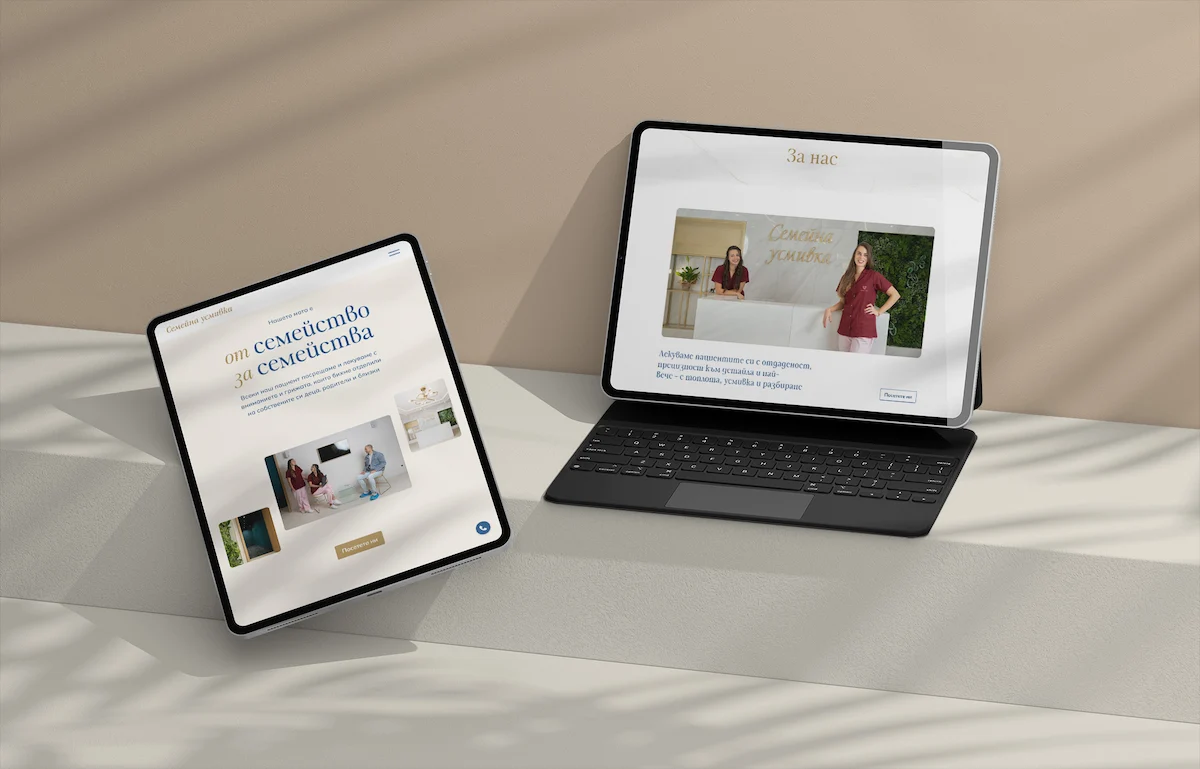
Technasium: a clearer yearly check for every school
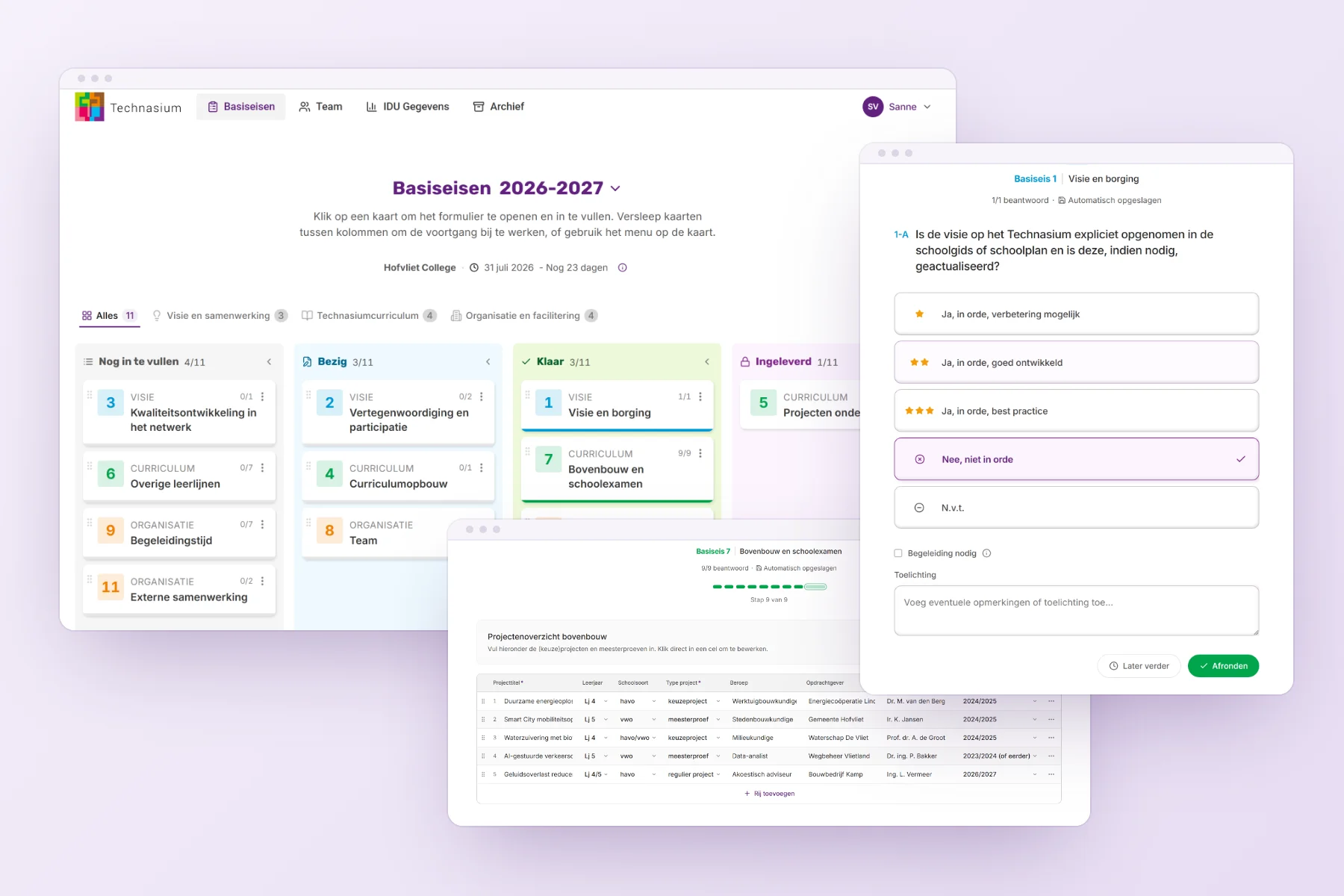
Every year, each Technasium school checks itself against the basiseisen, the requirements it has to meet to keep its Technasium designation. I redesigned how schools fill in the new assessment and updated the platform’s visual style.
About Technasium
Technasium is a national network of more than 100 secondary schools that teach research and design as a subject. Schools work on real assignments from companies and organisations, and the network checks every year that each school still meets its standards.
1. A new assessment on an existing platform
Once a year every school fills in the basiseisen, and after the deadline Technasium reviews each submission personally before the school hears whether its designation is renewed.
After years of using the previous system, Technasium’s administration decided to improve the assessment and make it more user friendly, both for the schools and for their own processes. Until then, schools filled in six separate forms, A to F, with no grouping inside them. Each form was one long list of questions in no logical order, so a form that started on one subject soon asked about others, which made it hard to follow.
Six separate forms, no groups inside
The new assessment has 11 basiseisen in three domains, about forty questions and five overviews that schools fill in directly on the page, instead of uploading numerous documents that made the review harder.
Visie en samenwerking in het netwerk
Technasiumcurriculum
Organisatie en facilitering
2. The brief and my role
The content came from Technasium’s specification: every question, its answer options and the columns of each overview, while the layout of the overviews was left to us.
I designed for the three groups who use the platform: school coordinators who fill in the basiseisen, teachers with admin rights who can work on them too, and Technasium admins who review the results.
3. One basiseis at a time
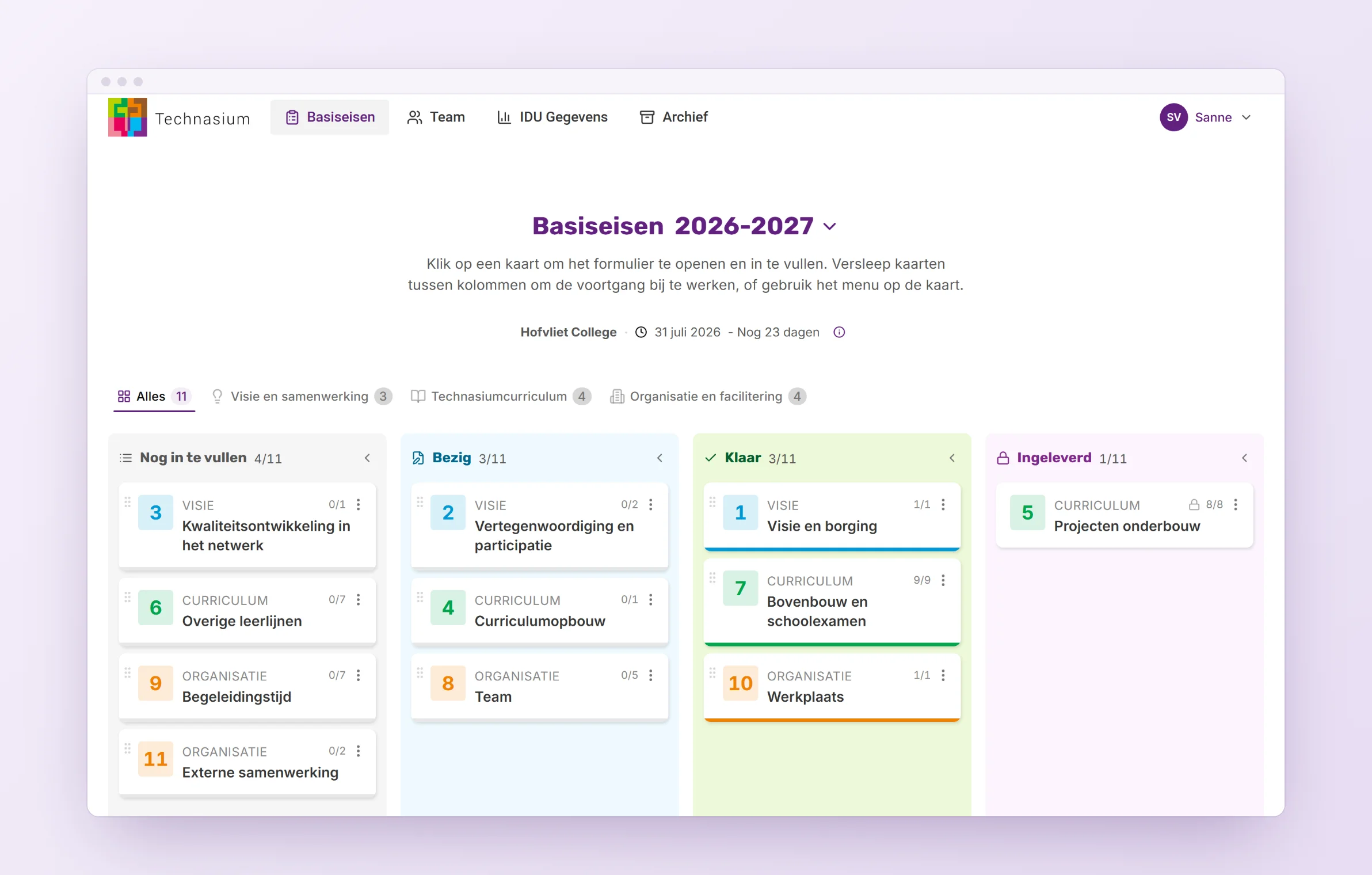
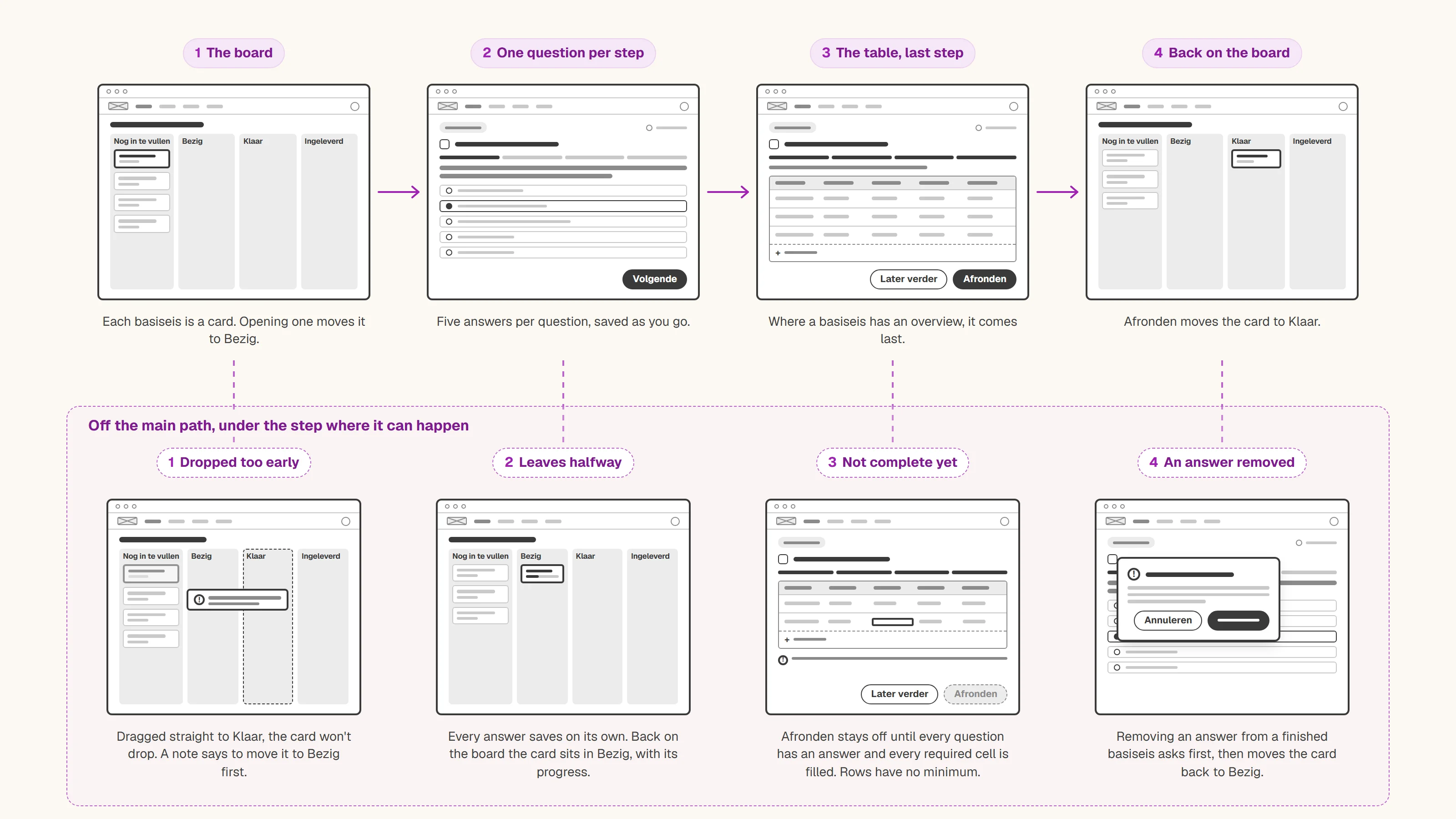
The dashboard shows the 11 basiseisen as cards on a board with four columns: Nog in te vullen, Bezig, Klaar and Ingeleverd. A card moves as the work moves, so a coordinator can see what is left without opening anything.
We kept the board logic of the previous platform, so schools that already knew it could carry on without learning a new way of working.
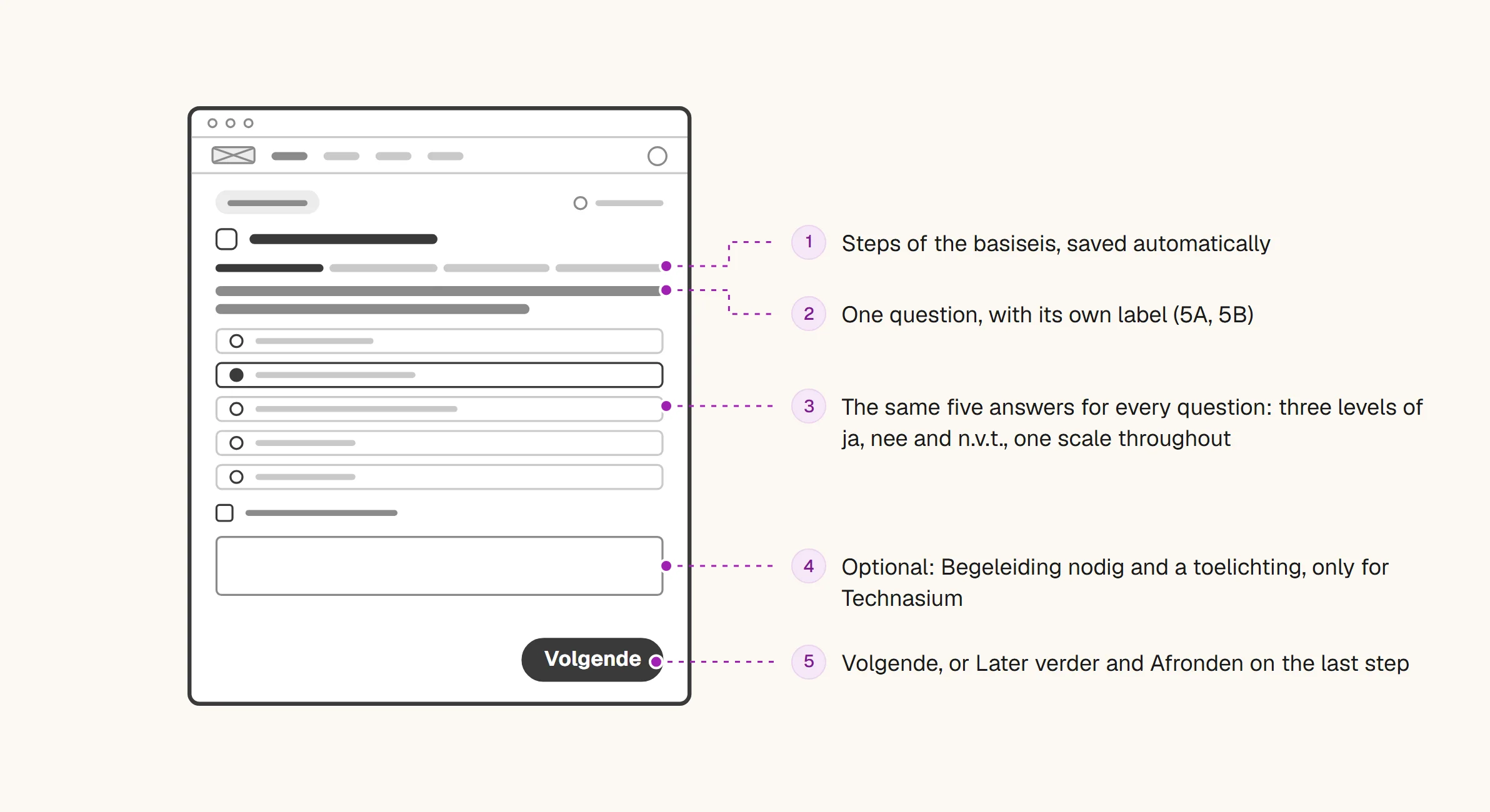
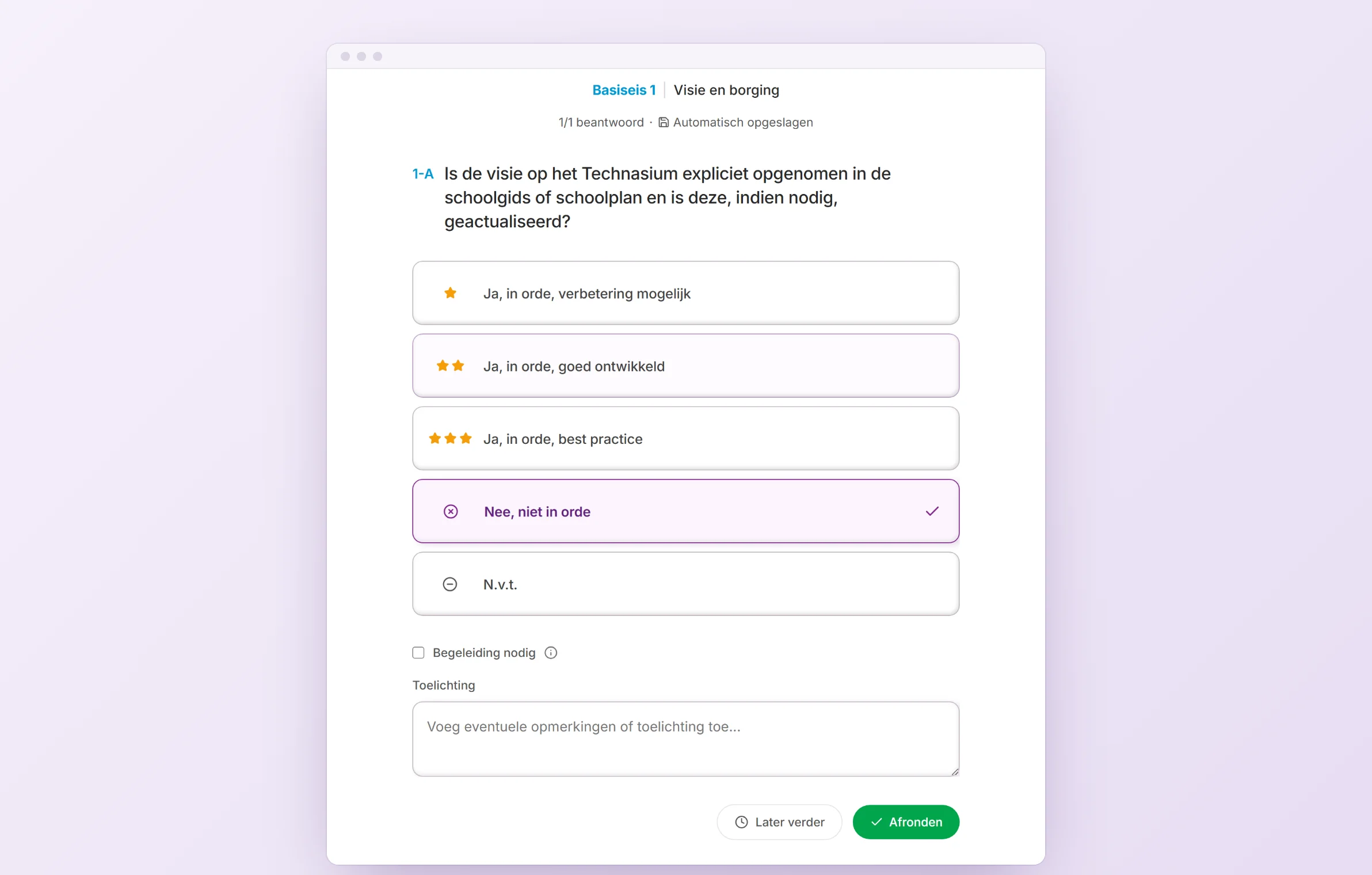
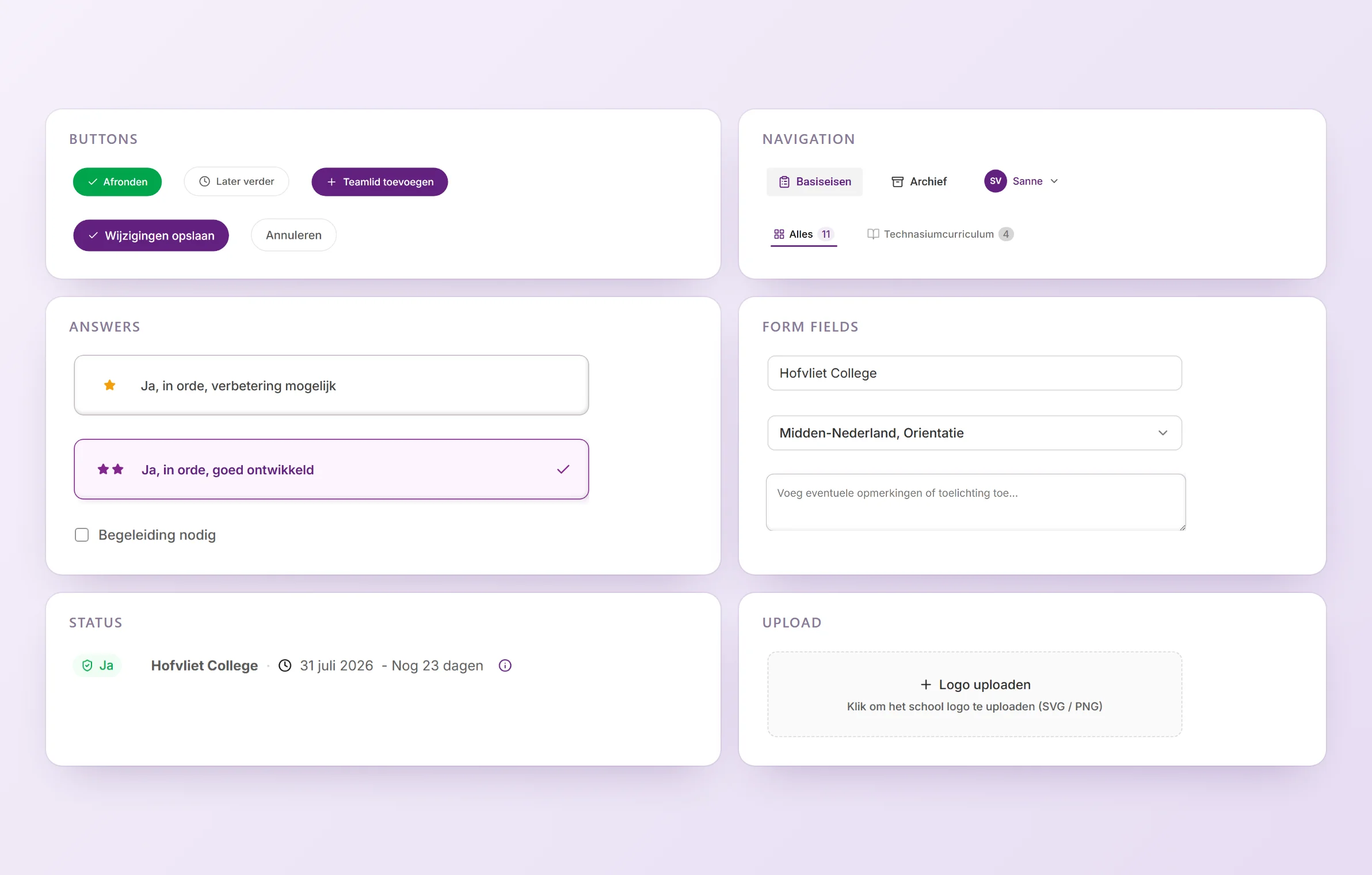
Inside a basiseis, the questions come one per step. Every question has the same five answers, three levels of ja, nee and n.v.t., so schools answer on one consistent scale throughout. Two optional fields sit below them: Begeleiding nodig and a toelichting, which only Technasium sees.
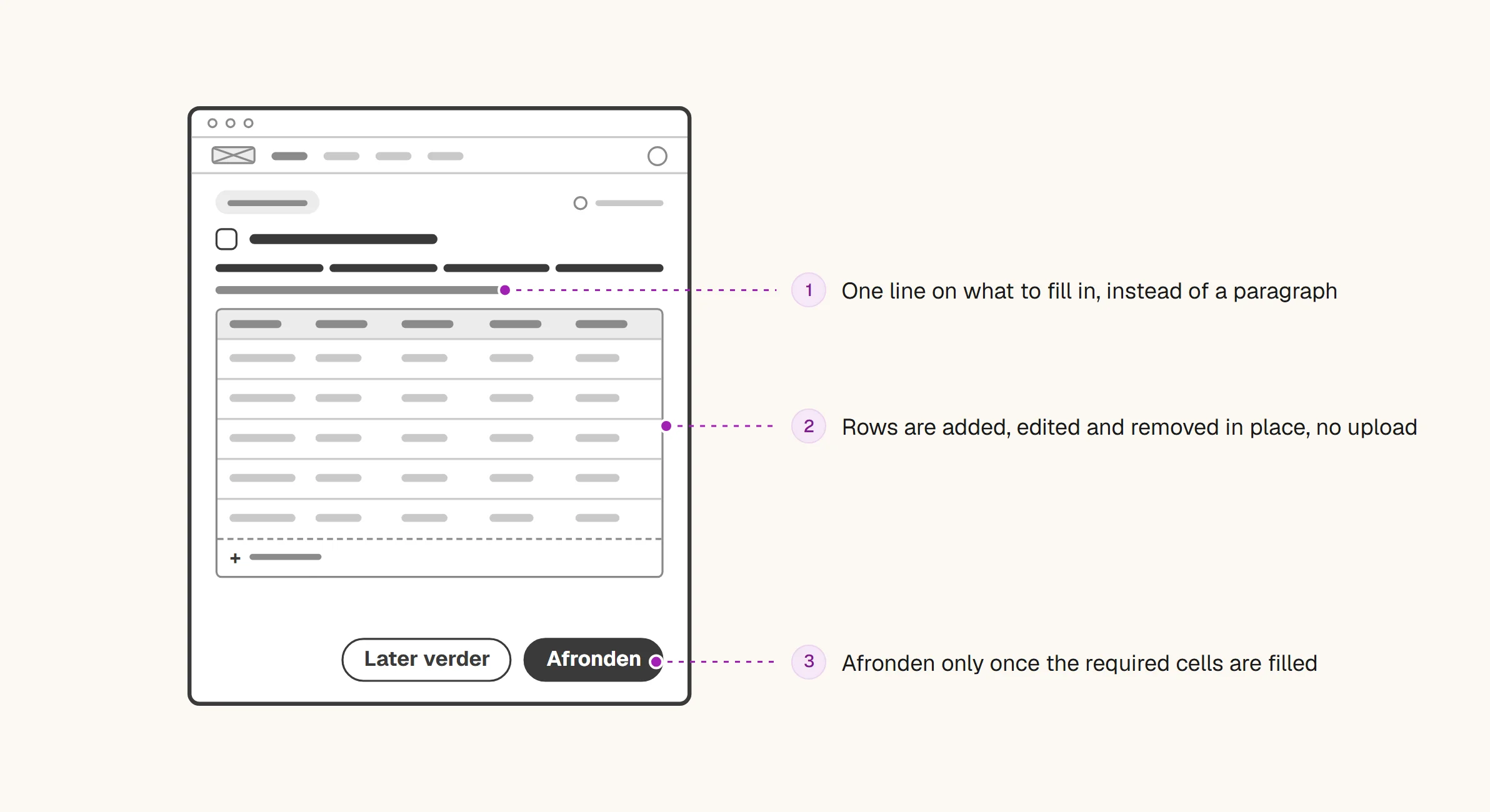
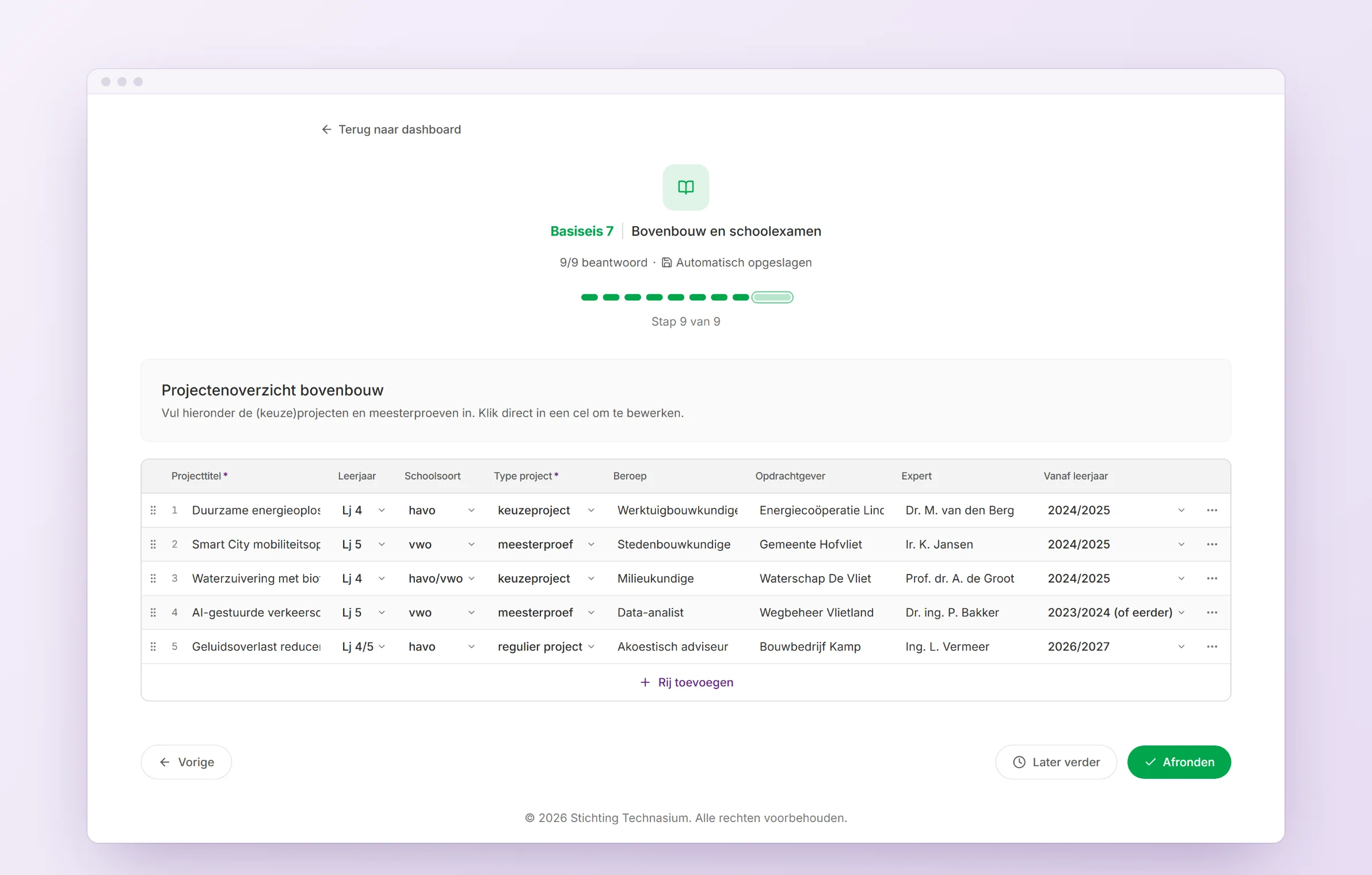
Where a basiseis has an overview, it is the last step. Rows are added and edited in place, with no document to upload.
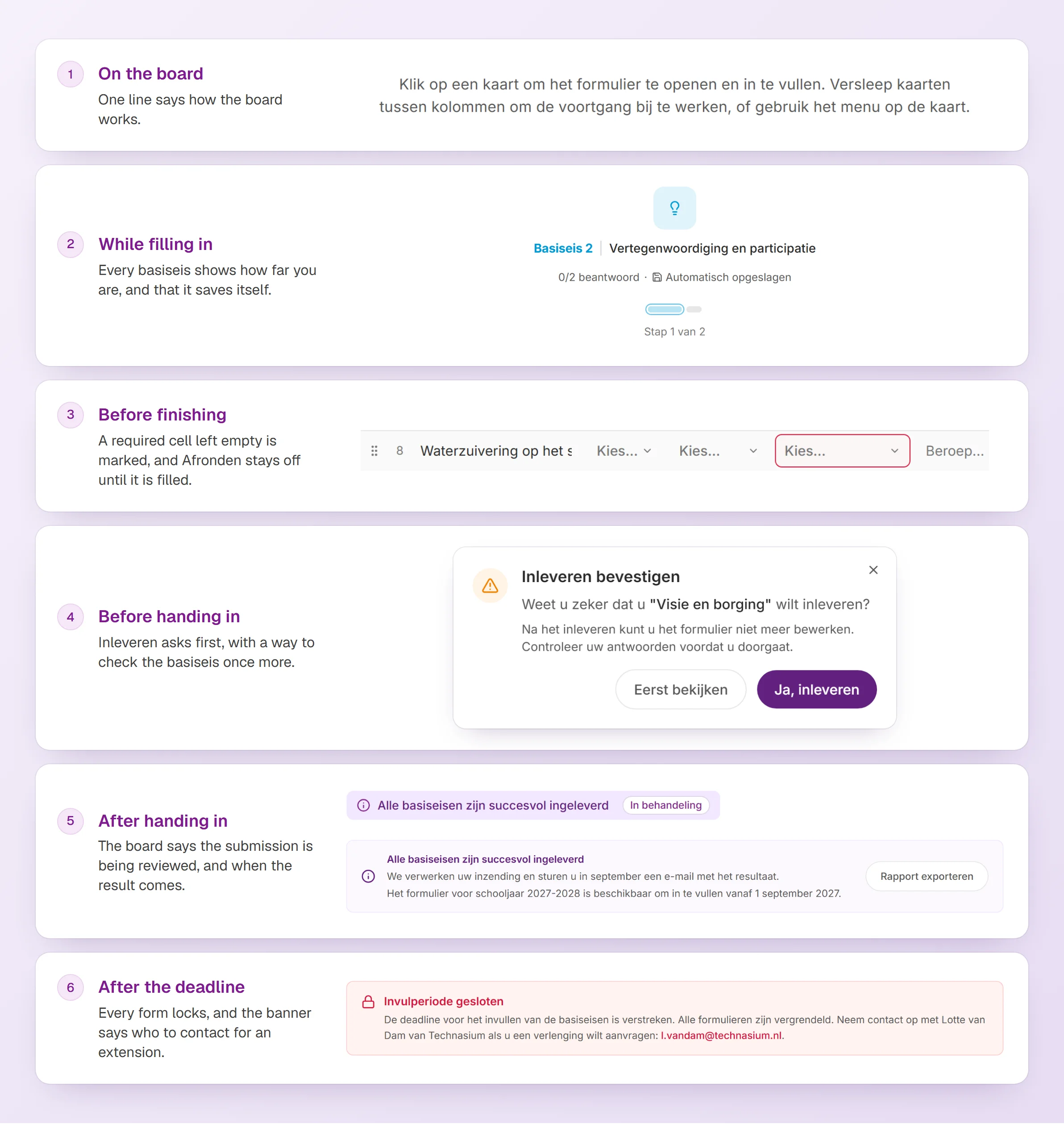
The flow also covers what happens off the main path. Every answer saves on its own, so leaving halfway costs nothing. Afronden stays off until every question is answered and every required cell is filled, while the tables have no minimum number of rows, because some schools are still growing and don’t have every year group yet. Removing an answer from a finished basiseis asks first, then moves the card back to Bezig.
4. Handing in, and what comes after
Handing in is a separate step from finishing, because after it nothing can be changed. A basiseis in Klaar is handed in from its card, and a dialog asks to confirm first, with the option to see it as it will be exported.
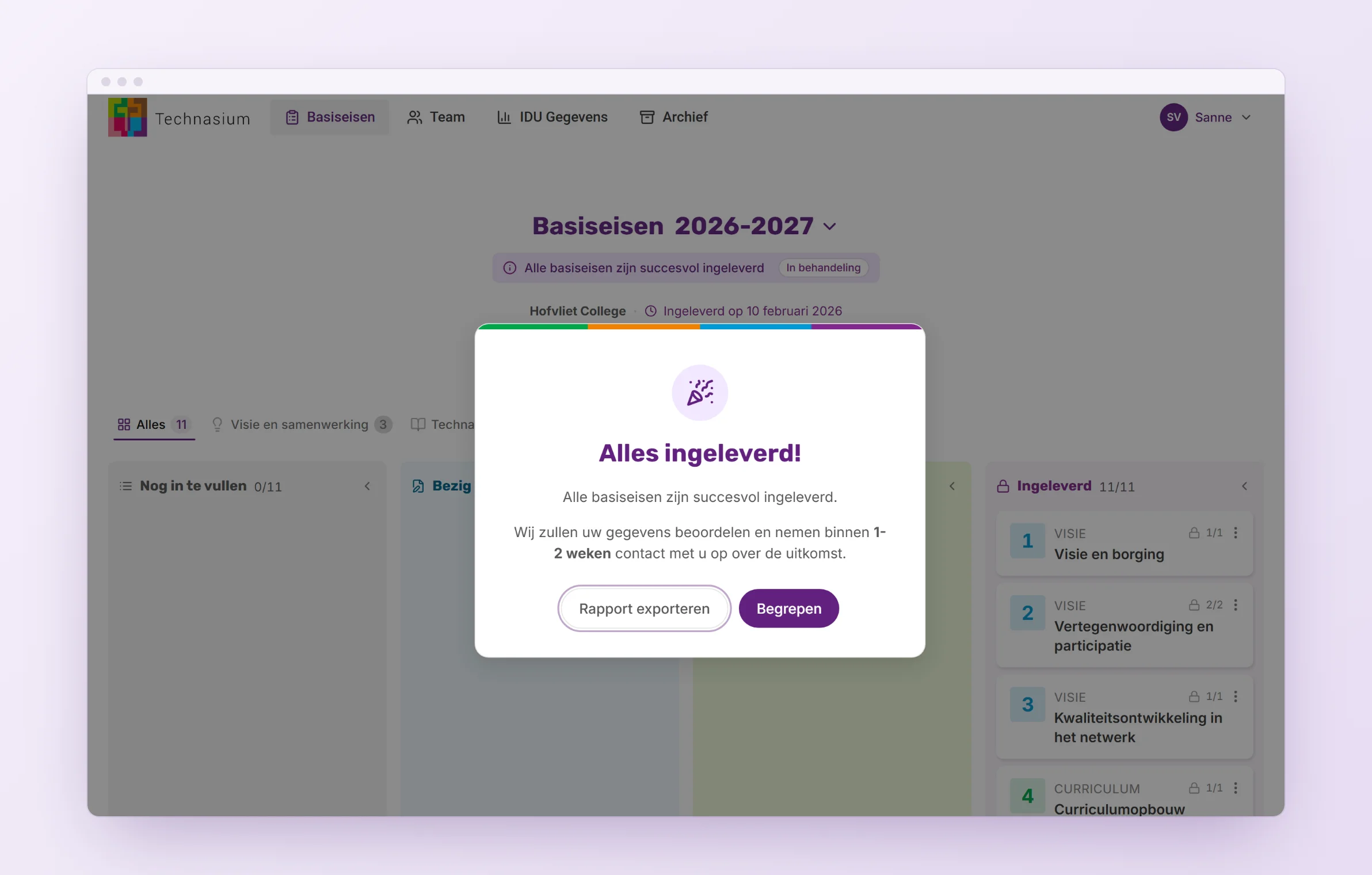
Once all 11 are in, the school sees that everything has arrived and can export a report, and the board shows that the submission is being reviewed. A handed-in basiseis still opens, read-only, and after the deadline every form locks with a note on who to contact for an extension.
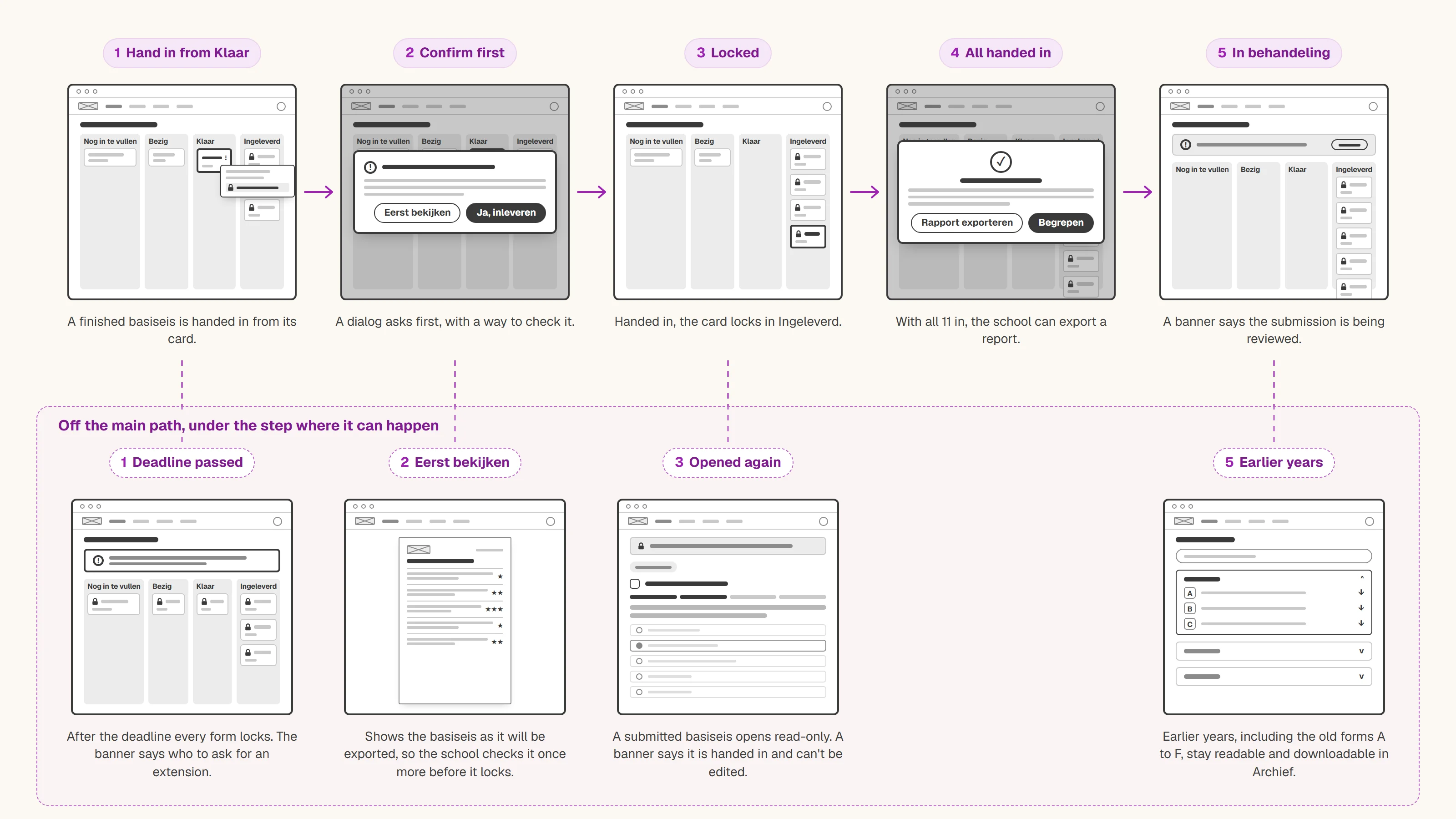
Seen over a whole year, it is a cycle. A school that misses the deadline can ask for an extension, which unlocks the cards again, and once the results are out the next school year starts on a fresh board, with the old one in Archief.
1. Each basiseis on the board
Formulier wissen resets a card to Nog in te vullen.
2. When all 11 are Ingeleverd
3. If 31 July passes before everything is Ingeleverd, every form locks in place and becomes read-only. A banner says who to ask for an extension:
5. Finding your way around
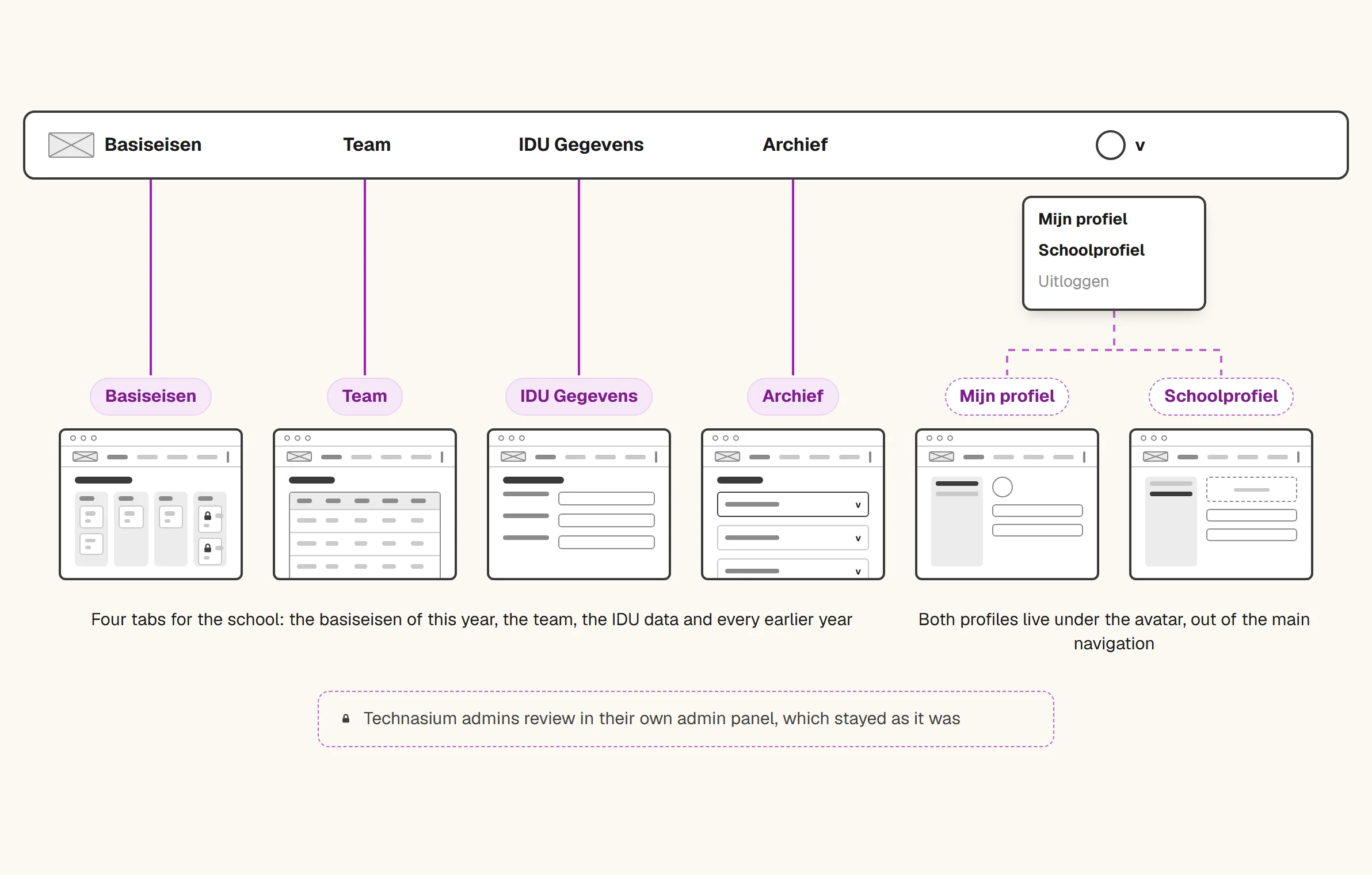
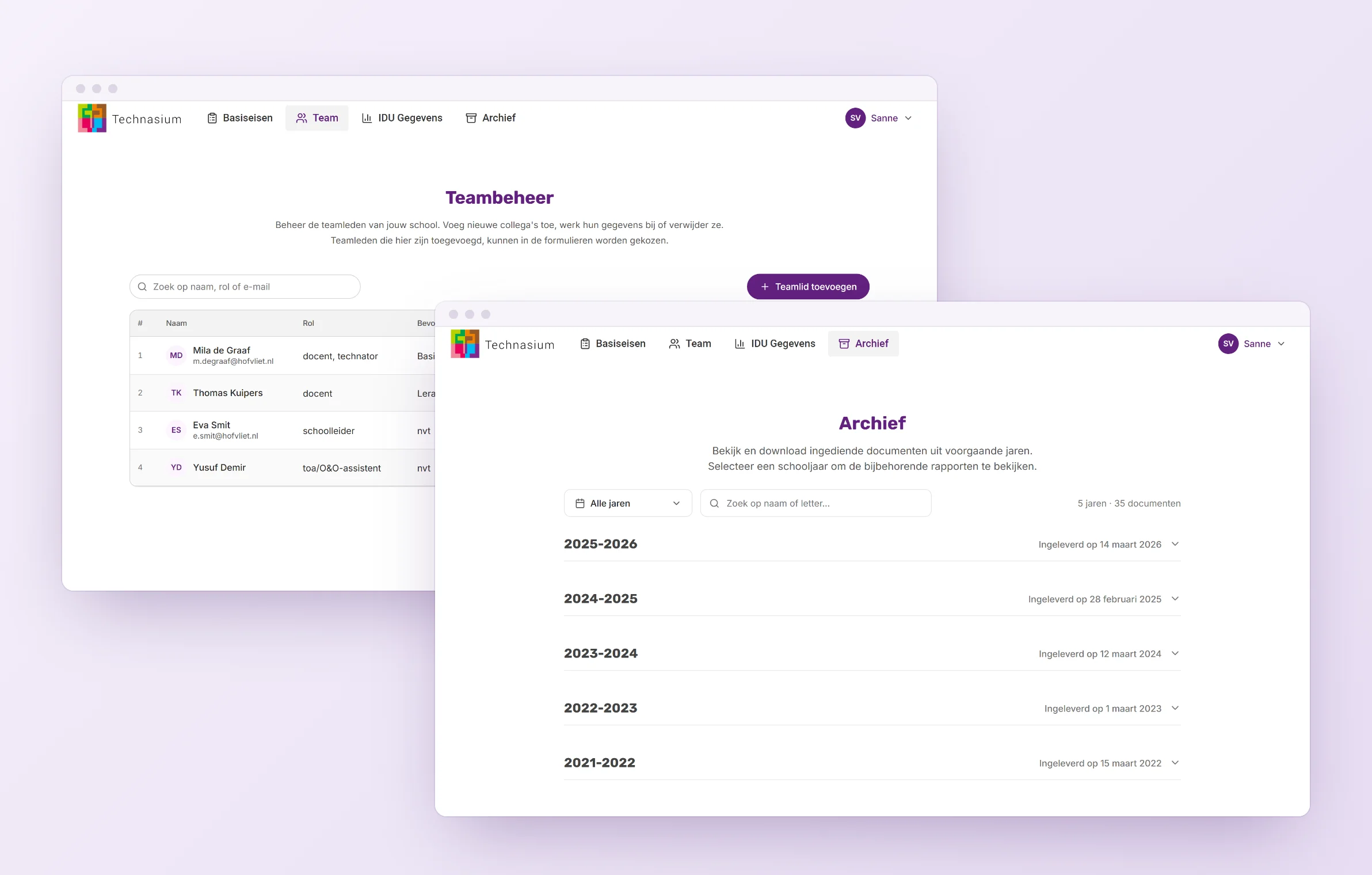
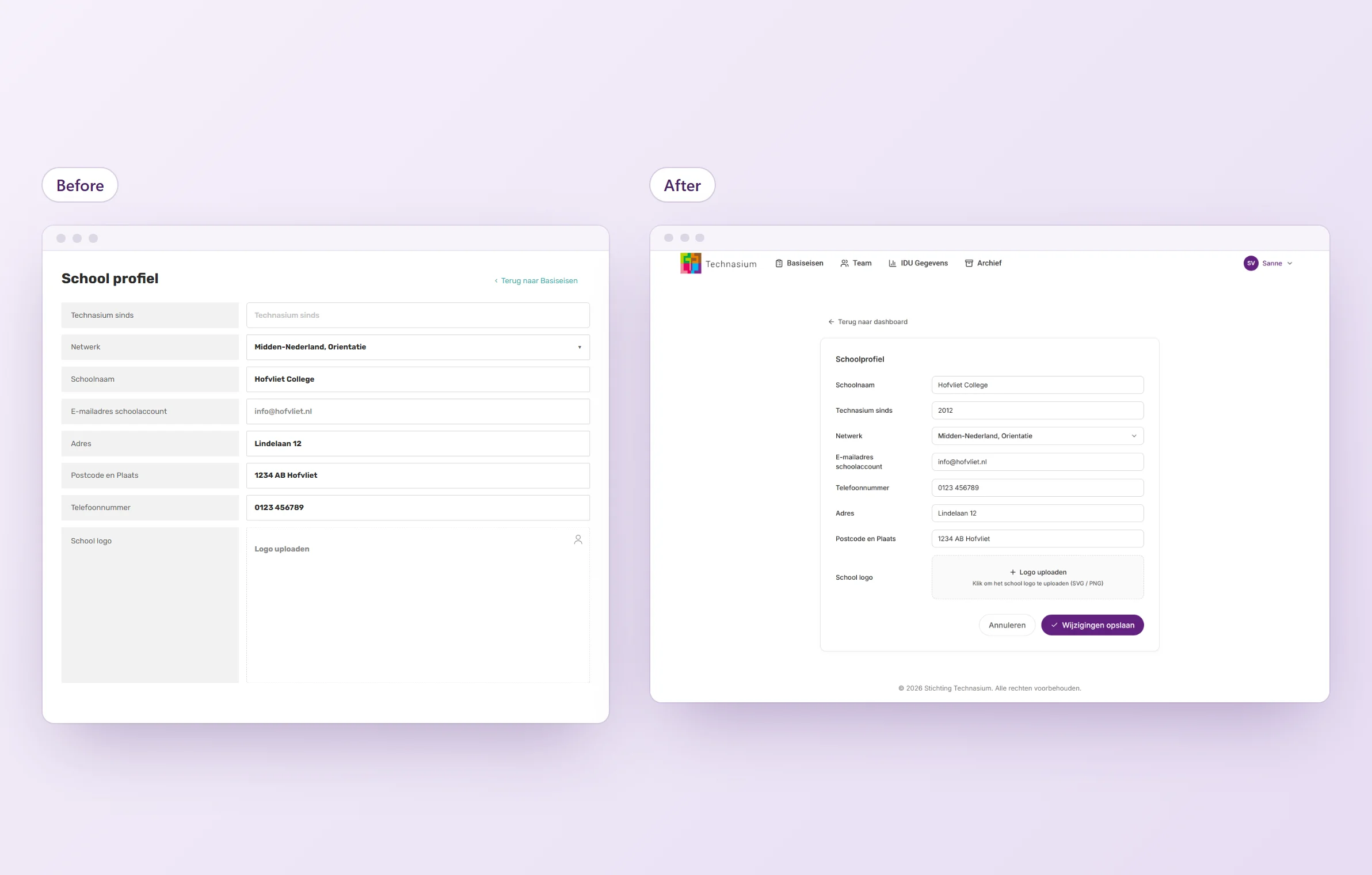
The navigation has four tabs for the school: Basiseisen, Team, IDU Gegevens and Archief. The team used to be entered only inside the basiseisen, so we added a Team page where schools keep it up to date at any time, and the overview in basiseis 8 picks the team up from there.
The forms of earlier years moved to Archief, so schools can still read and download them without them getting in the way of the new assessment.
Every page is built from the same small set of components, so a card, an answer or a table row looks and behaves the same wherever a school meets it. Some of them:
6. Saying what happens next
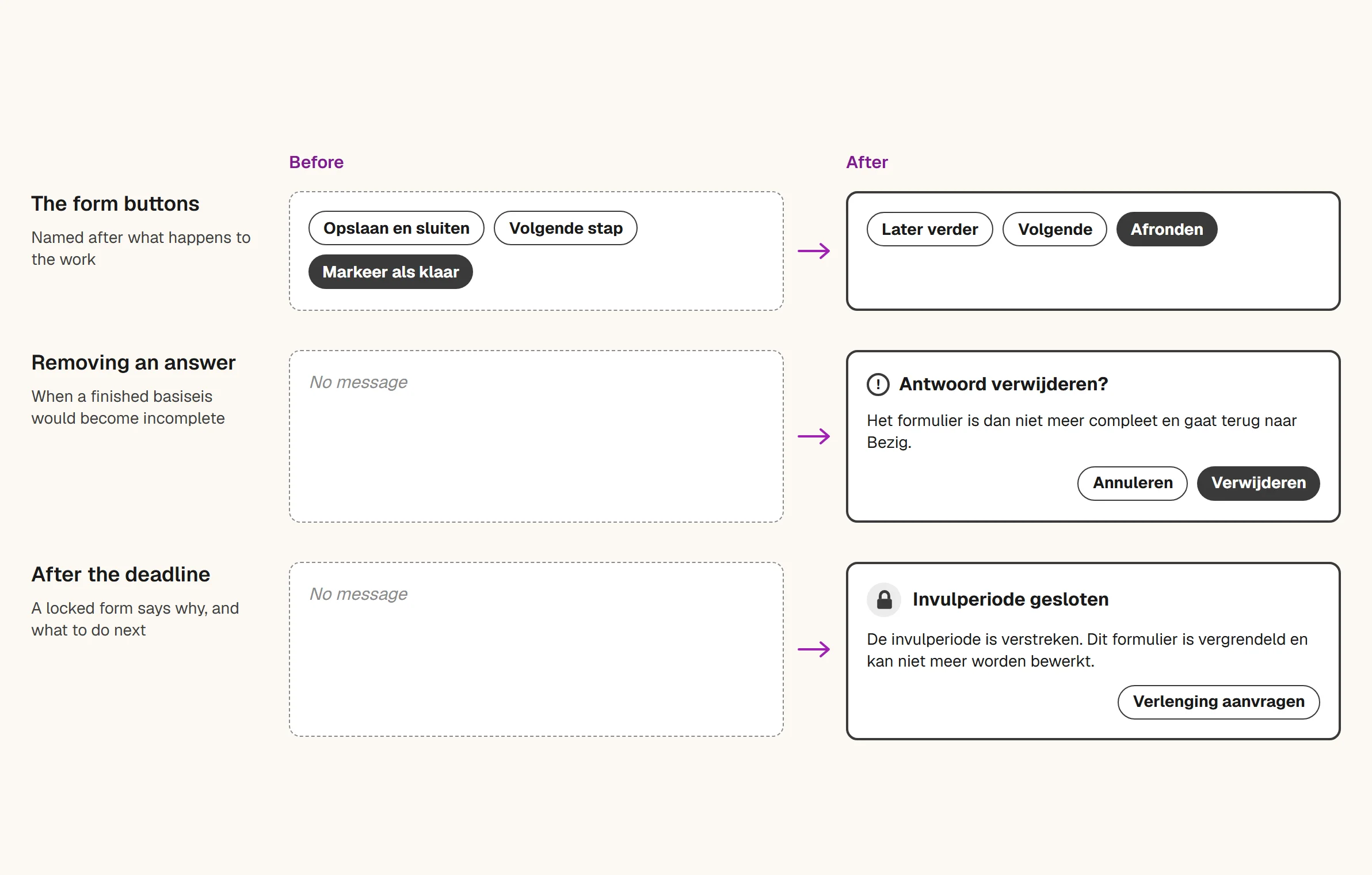
The product copy got the same attention as the flows. In an earlier version of the prototype, the buttons described the form (Opslaan en sluiten, Markeer als klaar), and several situations had no message at all.
The actions are now named after what happens to the work: Later verder for leaving it for now and Afronden for finishing a basiseis. Where an action has a consequence, the message says what it is, such as a card moving back to Bezig when an answer is removed.
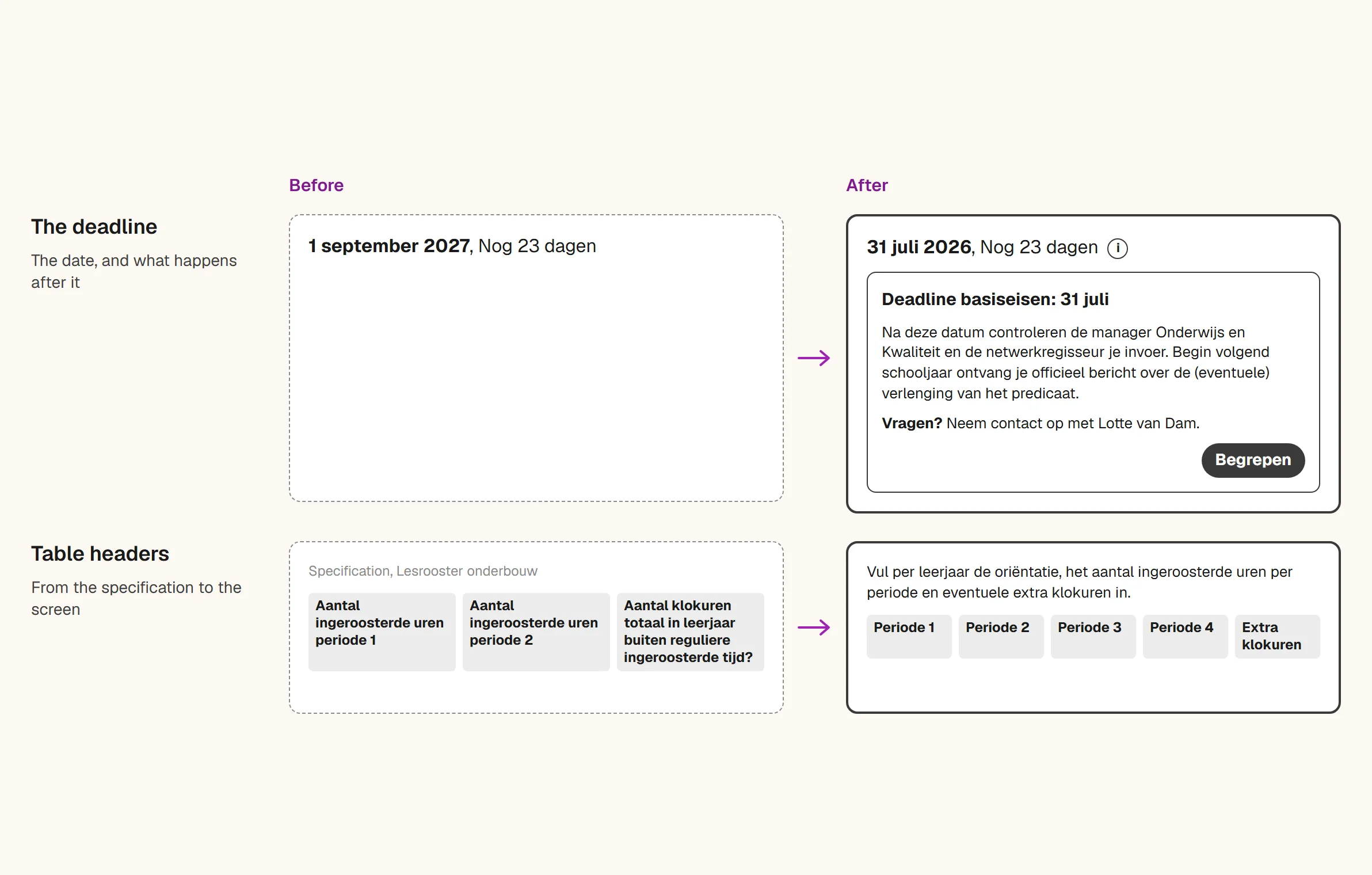
The same goes for guidance. The deadline now comes with what happens after it, and the overview tables use short headers with one line of explanation above them, instead of the full descriptions from the specification.
Beyond single messages, the platform guides a school through the whole process. The board explains itself in one line, each basiseis shows how far the school is and that its work is saved, a missing cell is marked before Afronden, and handing in asks first. Afterwards the board says what happens next: that the submission is being reviewed, when the result comes and, after the deadline, who to contact for an extension.
7. Getting it live and next steps
We shared the prototype with Technasium in May. Their team came back with only a few remarks, which we took into account and worked into the design.
The switch needed a short downtime, so we planned it for the end of August, before most schools were back. The new platform has been live since 1 October 2026, and the first schools are already filling in their basiseisen. The feedback so far is very good, and a new round of feedback with the schools that use it is planned after the first semester.